-
Real Cases
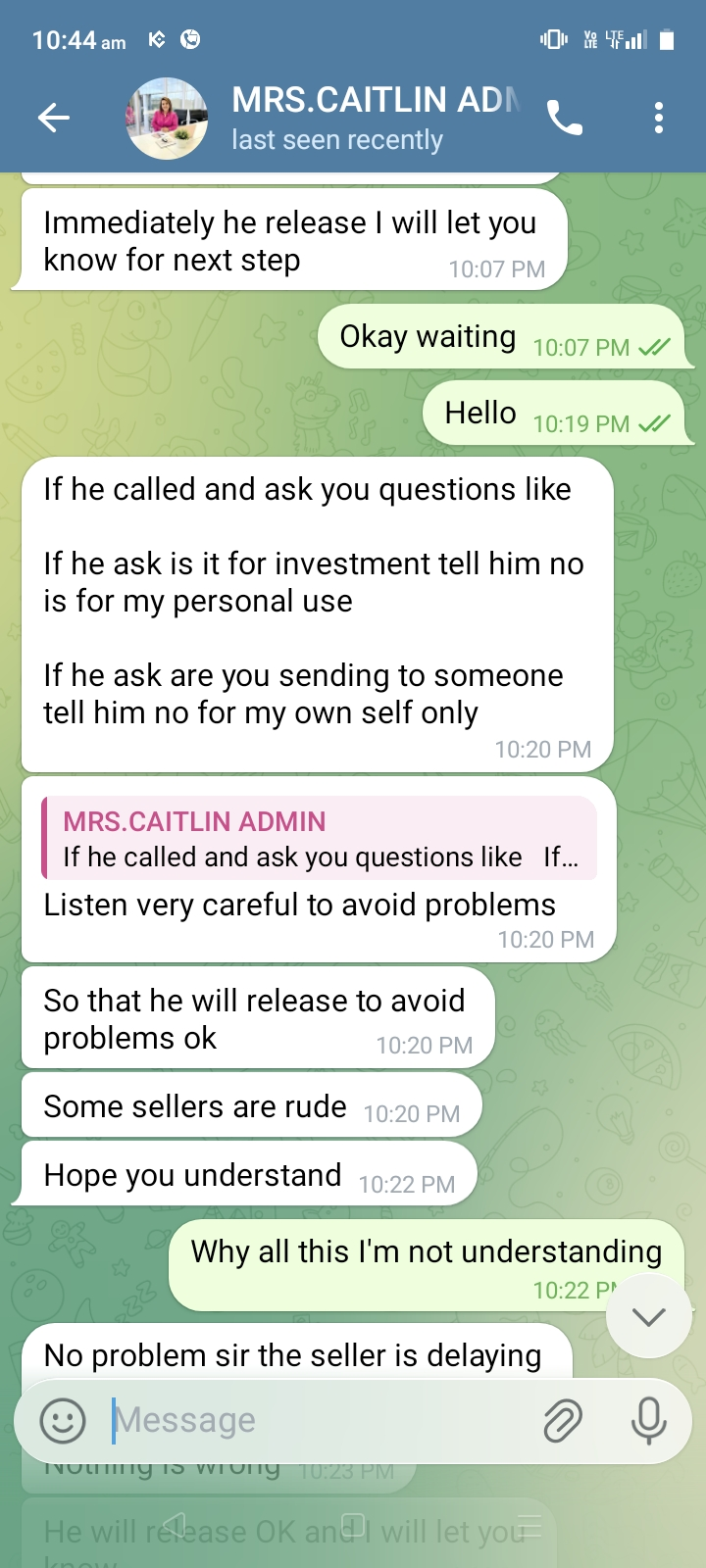
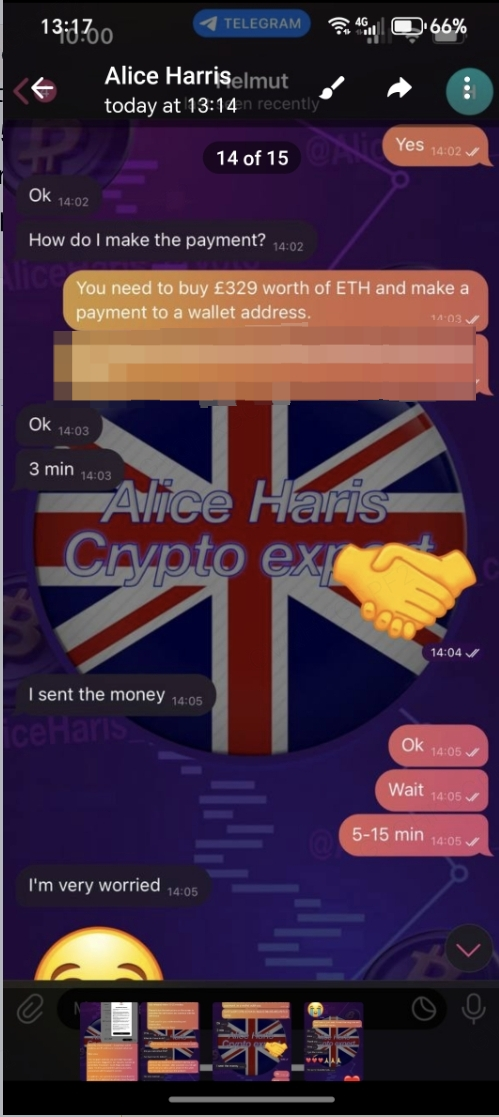
Fraudsters often impersonate KuCoin staff to lower your guard. Here are the common scripts they use:
-
Scam Script 1 - High-Yield Temptation:
-
Scammer: "I am a KuCoin VIP Manager. I have an exclusive opportunity with guaranteed 100x returns!"
-
Action: User sends cryptocurrency believing it’s an investment.
-
Result: Scammer: "Congratulations, you are now a VIP 'victim'!" (Funds stolen).
-
-
Scam Script 2 - Assist Withdrawals:
-
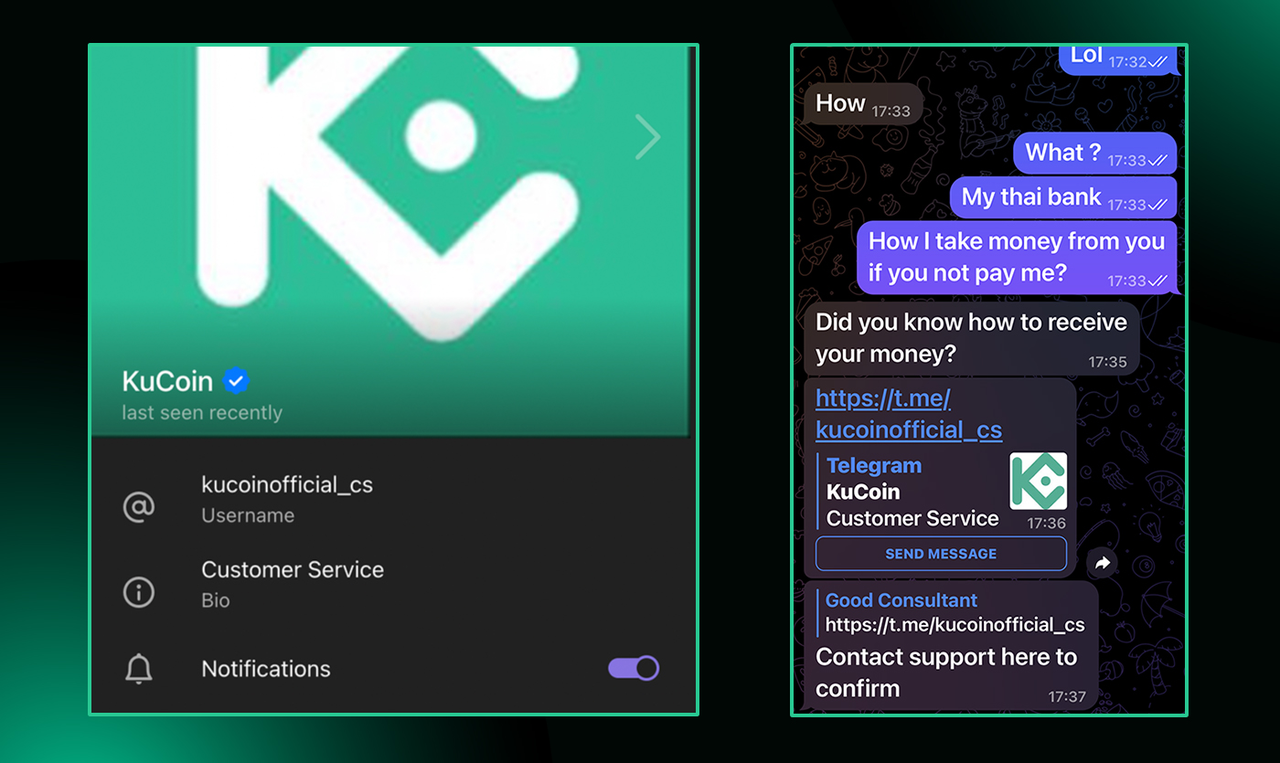
Scammer: "Don't know how to receive payment yet? Contact this 'Official Support' (@kucoinofficial_cs) immediately to confirm your order!"
-
Action: User clicks the fake link and asks the 'support' for assistance.
-
Result: Scammer: "Order confirmed! Rest assured, this payment—along with your balance—will... disappear into my wallet forever."
-
-
Scam Script 3 - Scare Tactics & Freezing:
-
Scammer: "Urgent Alert! Your account is involved in money laundering and will be frozen in 10 minutes. Transfer funds to this 'Safe Wallet' immediately!"
-
Action: User panics and transfers all assets.
-
Result: Scammer: "Don't worry, your assets are now very safe—so safe that even you can never get them back."
-
-
Scam Script 4 - P2P Verification Fee:
-
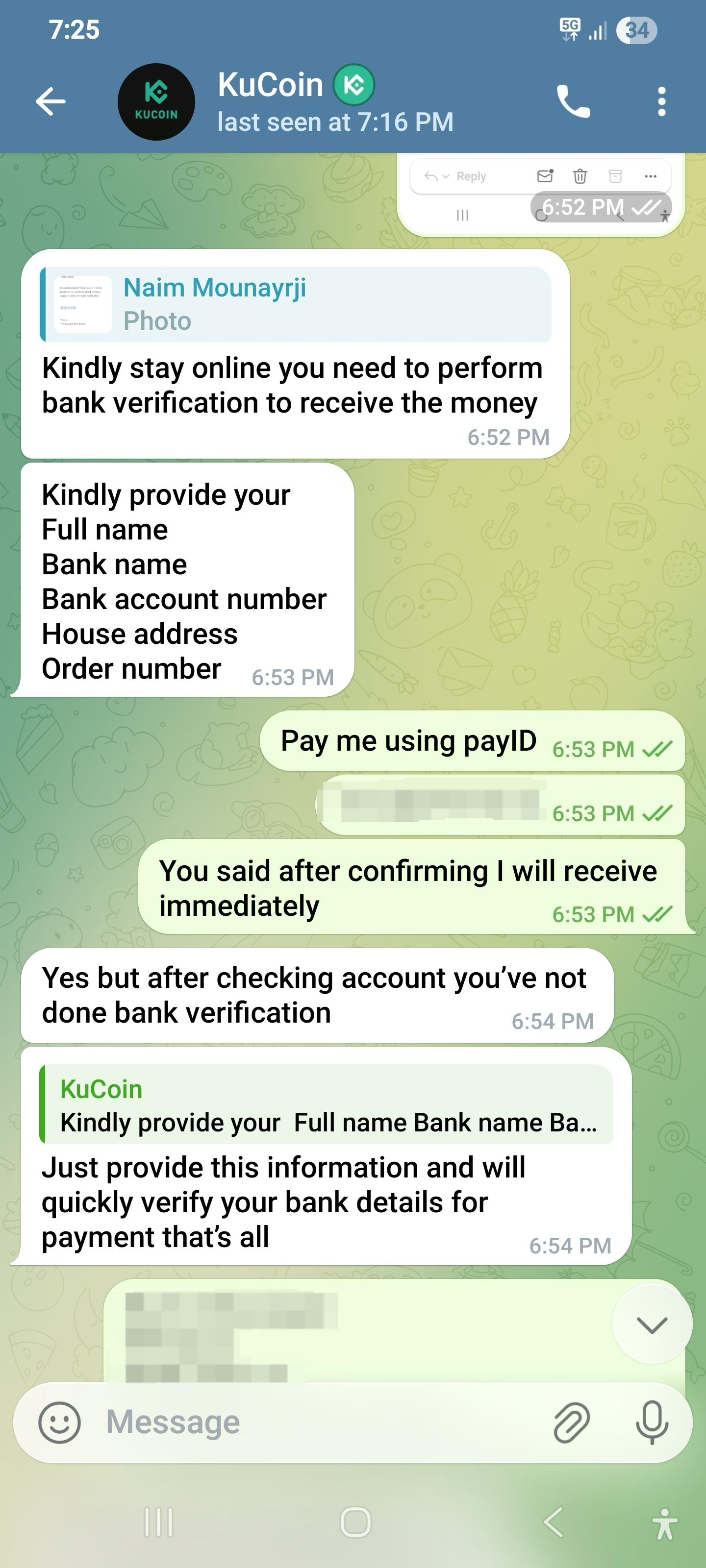
Scammer: "Alert! Your P2P transaction requires bank verification to release funds. Please pay an extra verification fee to the 'Official Wallet'!"
-
Action: User rushes to get their money and transfers the fee.
-
Result: The scammer disappears with both the fee and the original funds.
-
-
Anti-Scam Strategy
The Red Flag + Defense Combo:
-
Official Statement: ❌ KuCoin officials will NEVER contact users via unofficial channels to ask for passwords, mnemonic phrases, or asset transfers.
-
Internal Alarm: If an "Official Customer Service" agent DMs you privately attempt to obtain sensitive account information, induce you to download unknown apps, or click suspicious links, immediately trigger "Fraud Alert Mode."
Counter-Attack Steps:
When terms like "Limited Time Offer," "Account Anomaly," or "Withdrawal Failure" try to hijack your panic:
-
Step 1: Hit the Brakes!
-
You are encountering "Psychological Manipulation," not a "System Failure."
-
When seeing phrases like "Countdown 5 minutes" or "Verify immediately or account destroyed," force a "Cooling-Off Period" and ask yourself: Is this really a KuCoin official account?
-
-
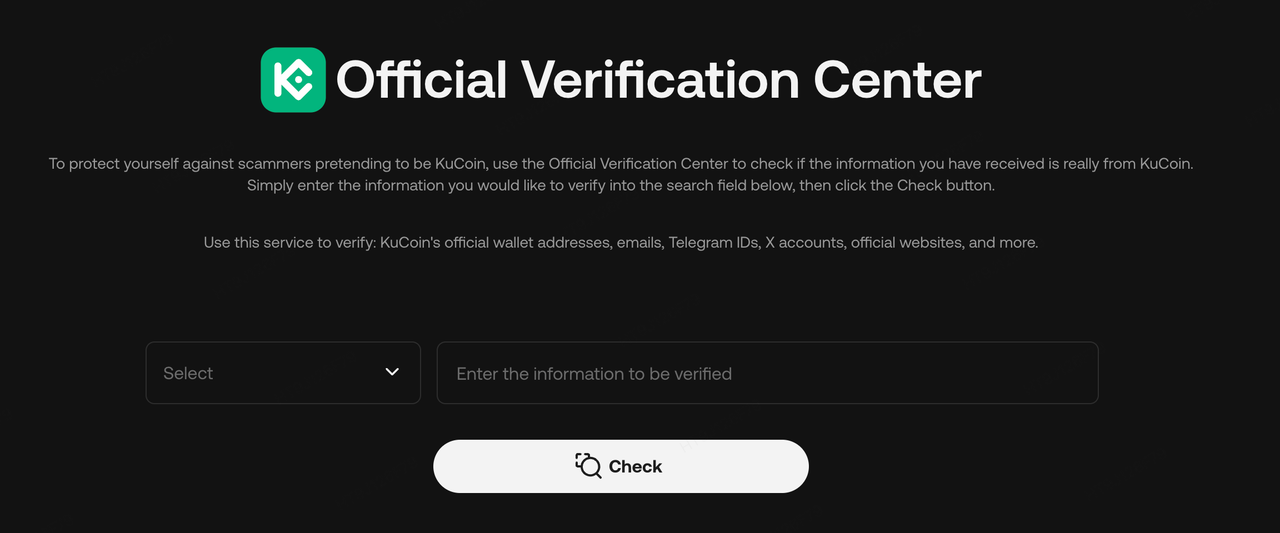
Step 2: The Double-Check Block:
-
Verify Identity: Copy the so-called "Official Admin's" username (ID).
-
Check It: Paste it into the KuCoin Official Media Verification Channel to reveal their true form.https://www.kucoin.com/zh-hant/cert?utm_source=social_kc_security_sunday_2025_twitter&utm_medium=social_m
-
-
Step 3: Neutralize the Bait:
-
Screenshot: Capture evidence of their profile and chat (their "criminal record").
-
Report: Click the "Report" button in the chat app immediately.
-
Delete: Block and delete the chat ruthlessly.
-
-
Immediate Action (If Scammed)
-
Freeze Account: Log in to KuCoin → Security Center → Freeze Account immediately.
-
Collect Evidence: Screenshot the impersonator's account, chat logs, transaction IDs (TXID), scam URLs, and fake apps.
-
Double Reporting:
-
🚨 Police: Notify local authorities and get a case number.
-
📩 KuCoin Support: Submit a ticket reporting the scammer's wallet address.
-
Note: Scam methods change rapidly, but the vulnerability remains the same: trusting too quickly and greed. Education is the first firewall against fraud—share this to help others stay safe!